Local-first AI authoring · SCORM platform
Lernwerk
A local AI-powered authoring studio for creating, editing and delivering complete interactive courses, SCORM packages and verifiable certificates without a user account.
Project overview
One connected studio turns source material into an editable learning product, packages it for an LMS and carries the learner through completion and certificate verification.
Course creation was split across disconnected tools
Building a complete digital course usually means moving between research, writing, design, authoring, media sourcing, assessment tools, LMS packaging and quality assurance. Generic AI output can accelerate drafting, but it rarely gives learning teams the control, consistency or export reliability required for a finished course.
Unify generation, editing and delivery
I designed and built Lernwerk as a local-first web application. Users define a learning goal, audience, duration, language and source material, then generate a complete course with an OpenRouter model. Every module remains editable in a visual canvas, with reusable design templates, image controls, interactive assessments, multilingual content and a shared rendering system across editor, preview and export.
A complete authoring-to-certificate workflow
The working product connects course generation, 15+ interactive module formats, visual editing, licensed image discovery, video, SCORM export, progress tracking and quality checks. Learners can complete imported courses in a local library, receive a signed certificate and verify its QR data on-device without a server. Three detailed example courses demonstrate the full system.
How I built the system
From source material to a portable learning product.
Structure the learning input
Topic, learning goal, audience, duration, language and source material become a constrained brief. Users decide whether generation may add model knowledge or must remain grounded in supplied content.
Generate editable modules
The system creates a complete course structure using a chosen OpenRouter model, then exposes every text, image, activity and learning objective for direct revision.
Keep rendering consistent
Editor, learner preview and exported course share the same visual rules so card styles, media crops, contrast, interactions and global branding remain predictable.
Package, learn and verify
Quality checks prepare the course for SCORM export. Local progress and results support completion, while signed certificate data can be verified from a QR image, camera or text.
Inside the product
One product, from first idea to verified completion.
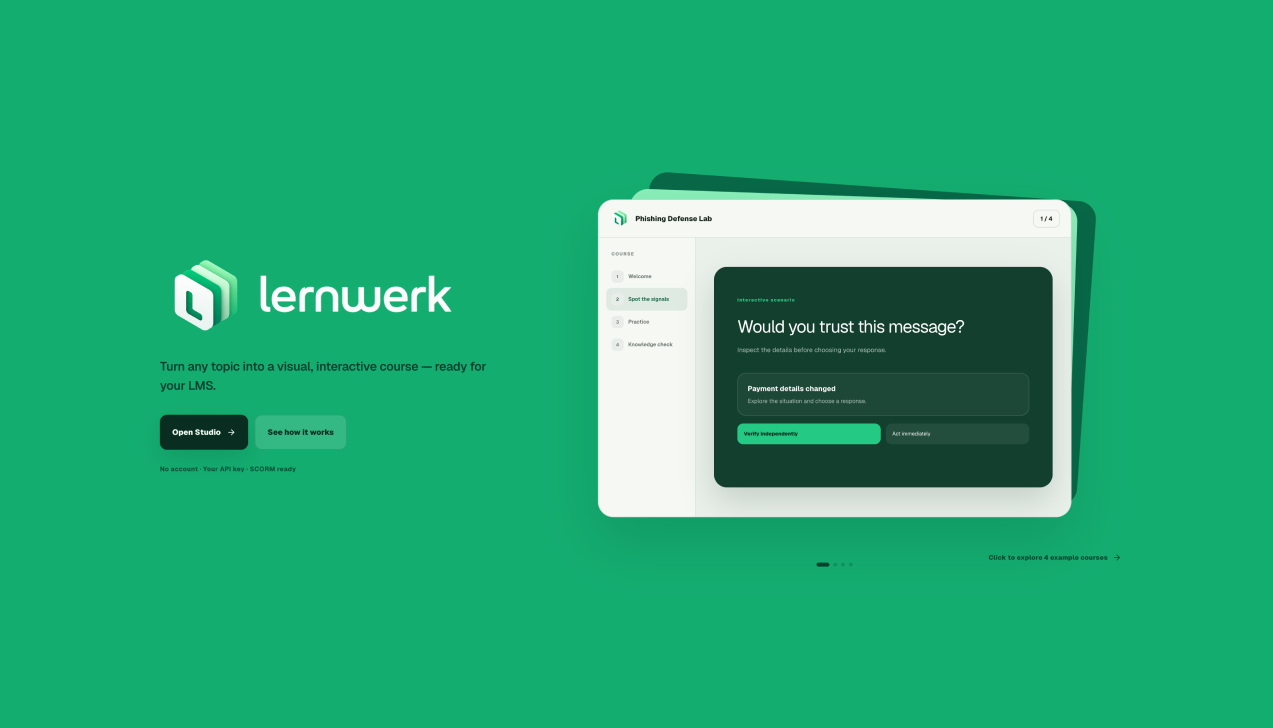
A clear starting point, not an AI dashboard
The public experience introduces Lernwerk through the product itself: a focused promise, a working course preview and two direct paths into the studio or an interactive walkthrough. The visual language is deliberately calm, branded and learning-led.
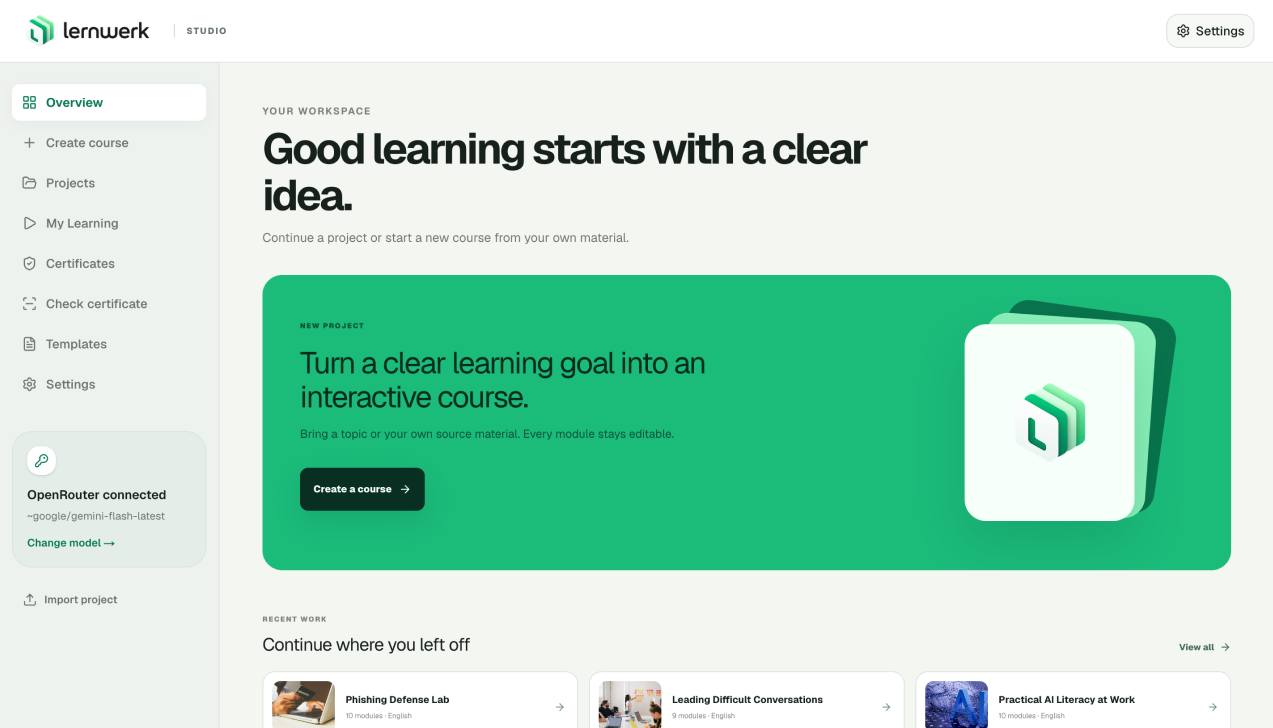
Start with a learning goal
The workspace keeps course creation and recent work in one focused view. A new project begins with the topic, audience, learning objective, language, duration and source material, so generation starts from an instructional brief rather than an empty prompt.
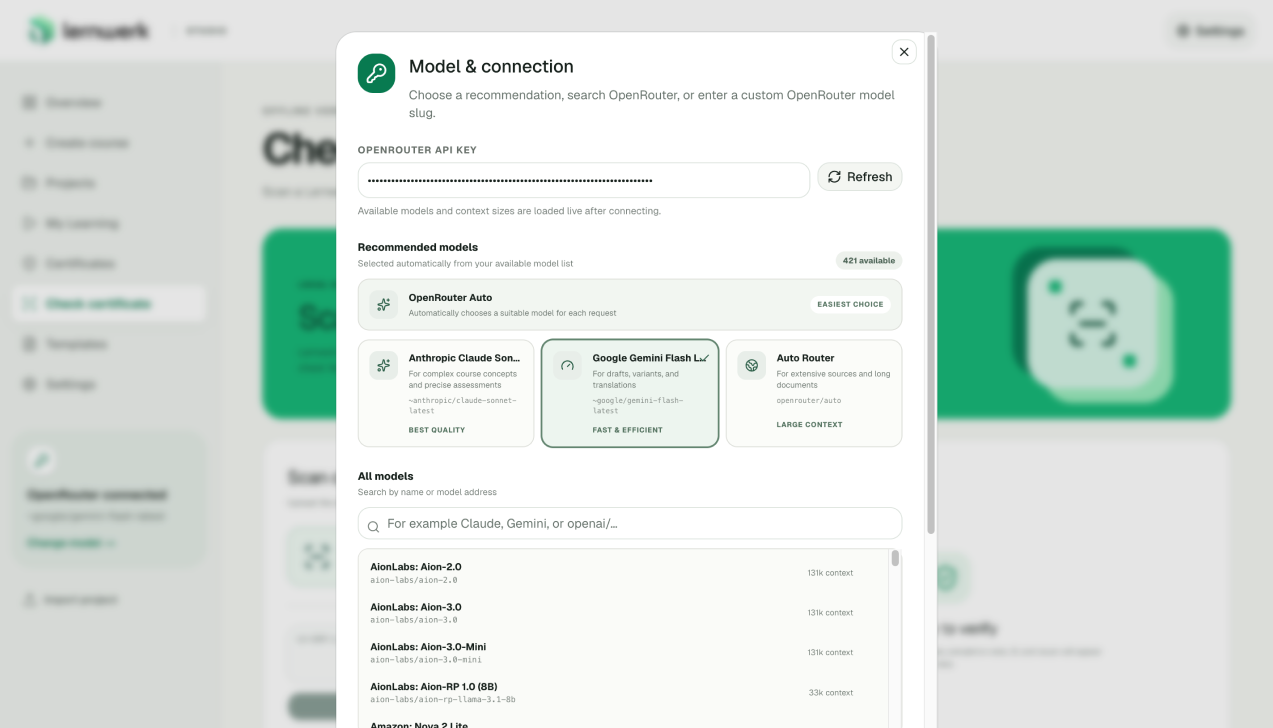
Use the right model without locking the product to one provider
Users connect their own OpenRouter key, choose from recommended models or enter a model address directly. Live model availability and context sizes make the technical choice visible, while an automatic route provides a simple default.
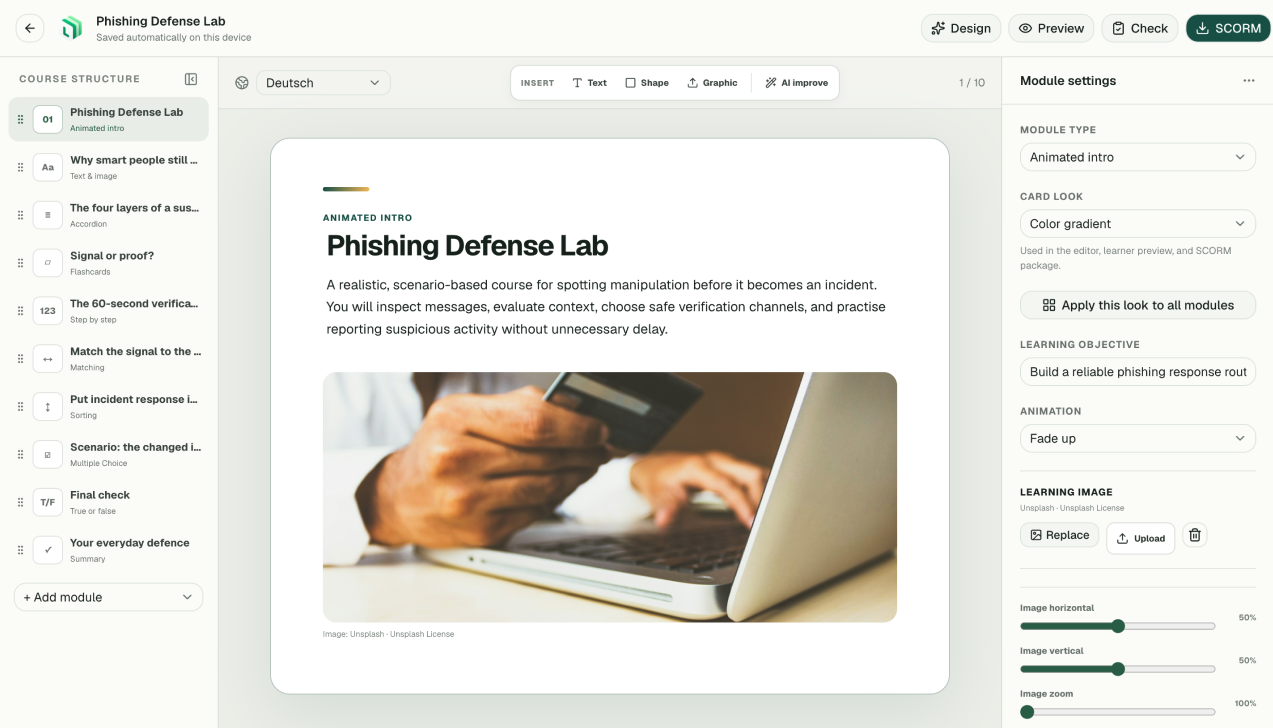
Every generated module stays editable
The editor combines course structure, a direct visual canvas and contextual settings. Text, objectives, activities, images and presentation styles can be changed without leaving the module, while global design actions keep the complete course consistent.
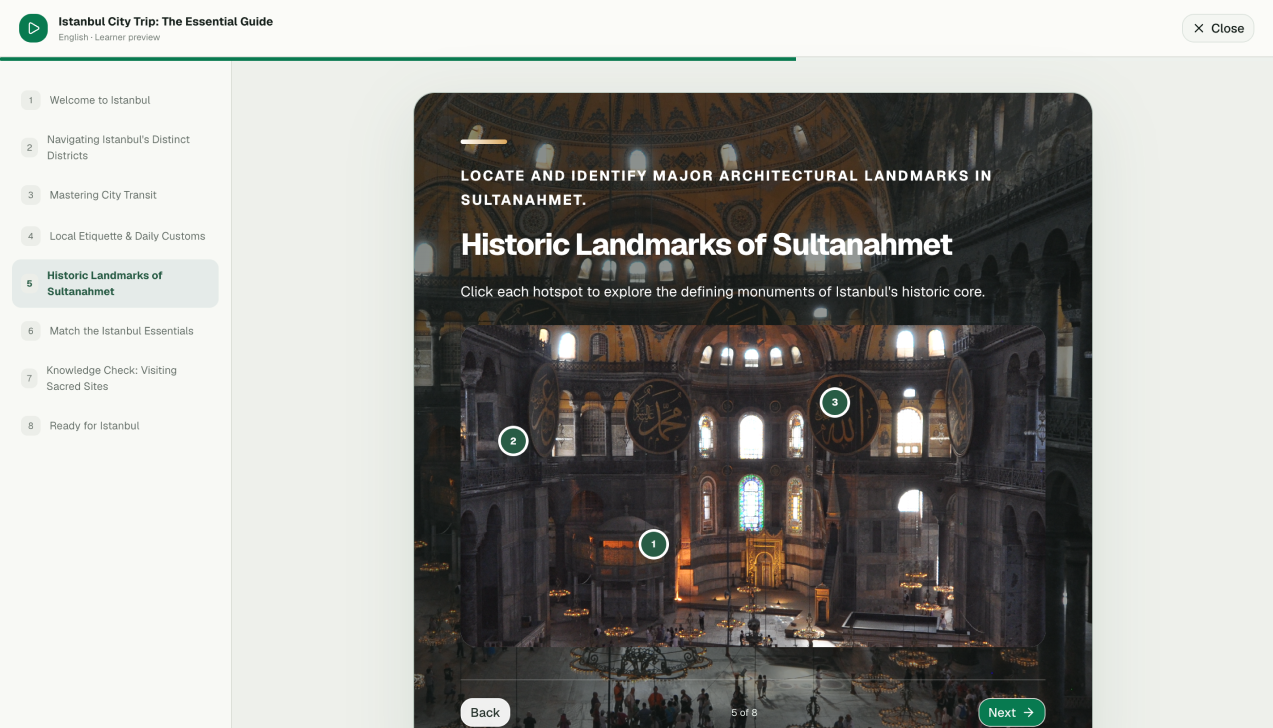
The result behaves like a course, not a document
Learners move through a structured experience with navigation, progress and interactive formats such as hotspots, flashcards, matching, sorting and knowledge checks. The same visual rules are shared across editing, preview and the exported package.
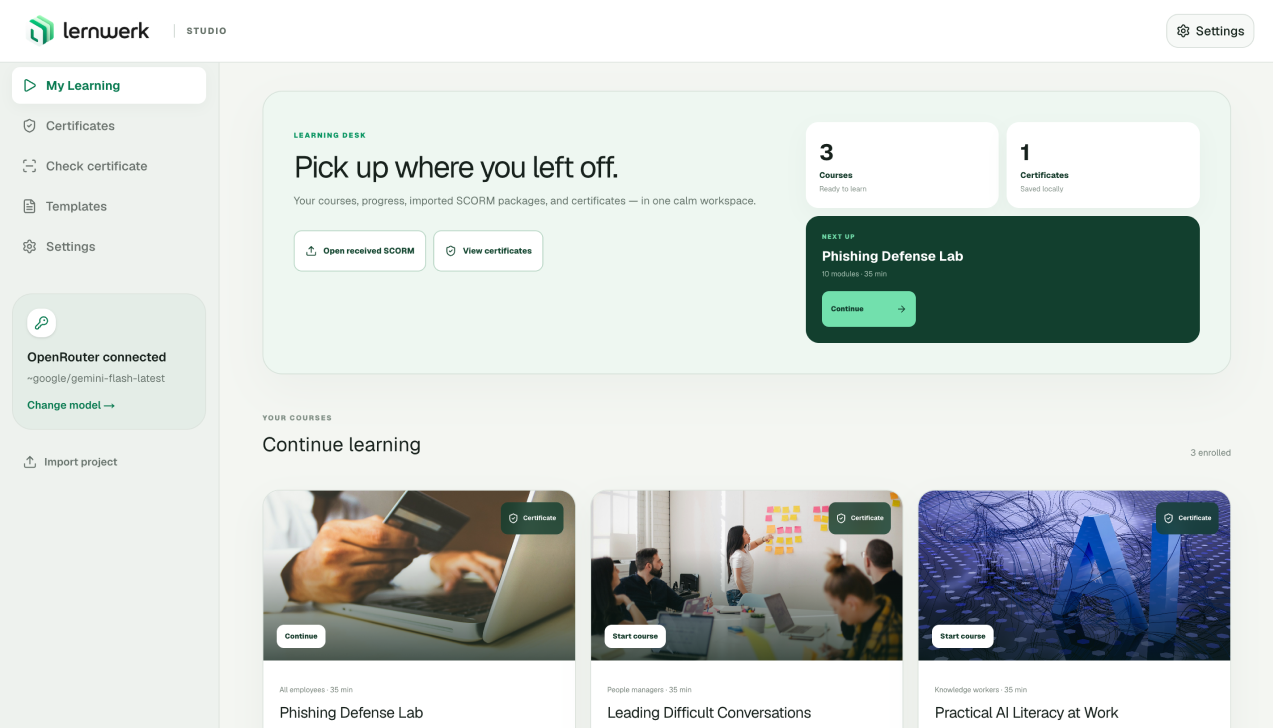
Created and received courses live in one local workspace
My Learning turns Lernwerk from an authoring tool into a complete learning environment. Courses can be opened directly or imported as SCORM packages, with local progress, resumable sessions and certificates available from the same library.
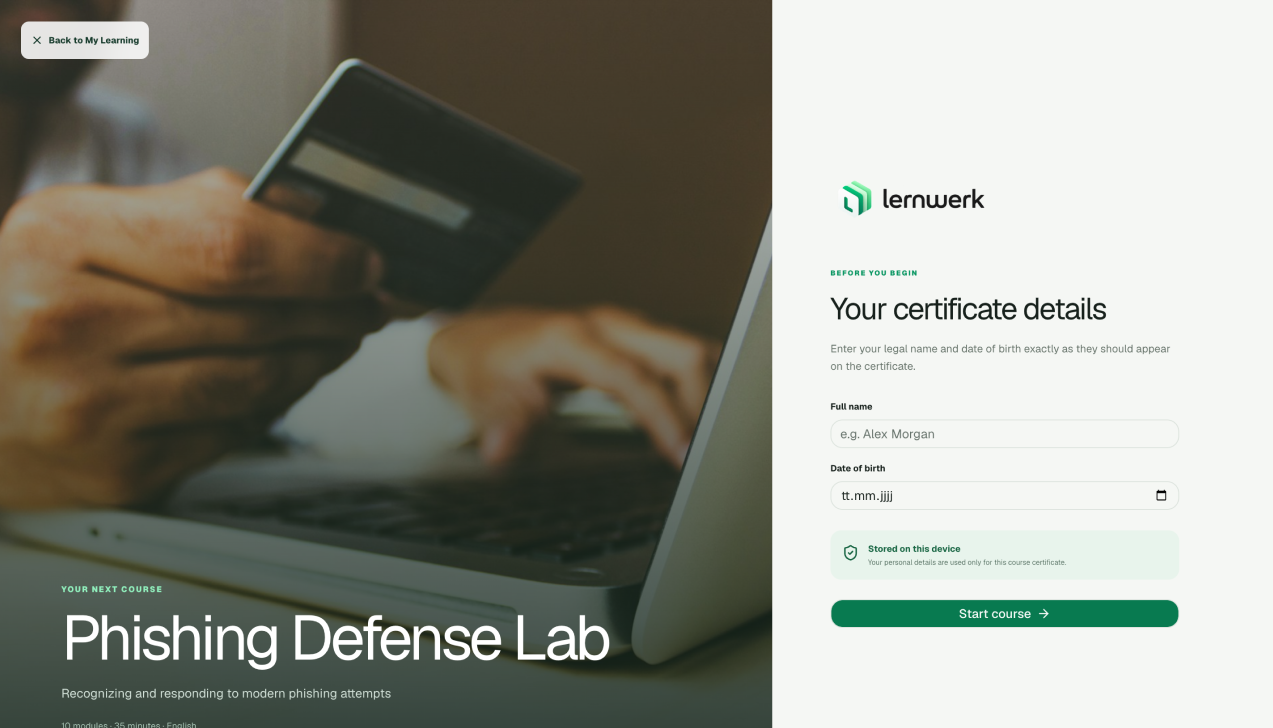
Personal details remain on the device
Before a certificate course begins, the learner enters the legal name and date of birth that should appear on the credential. The interface makes the storage model explicit: personal data is used locally for this course certificate rather than sent to an account system.
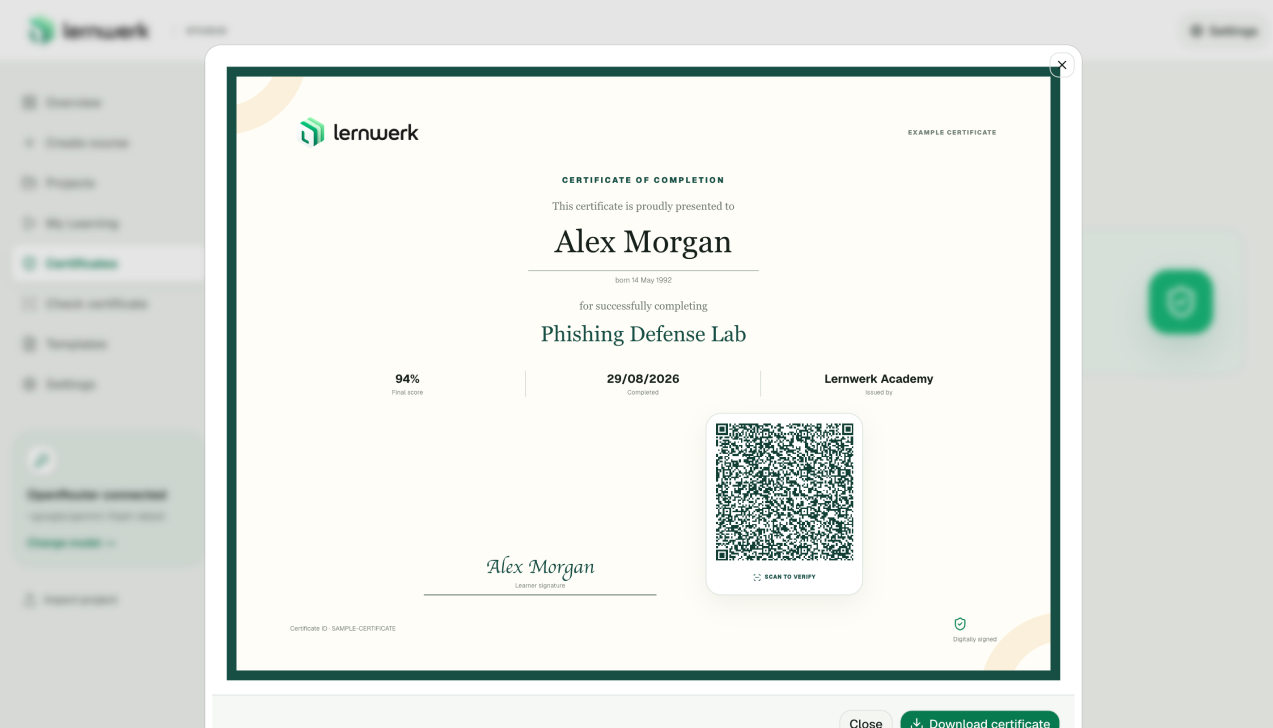
A finished course produces a verifiable credential
Successful completion creates a designed certificate containing the learner, course, score, date, issuer and certificate ID. A signature captured with mouse or touch and a branded QR code connect the learning result to a portable final document.
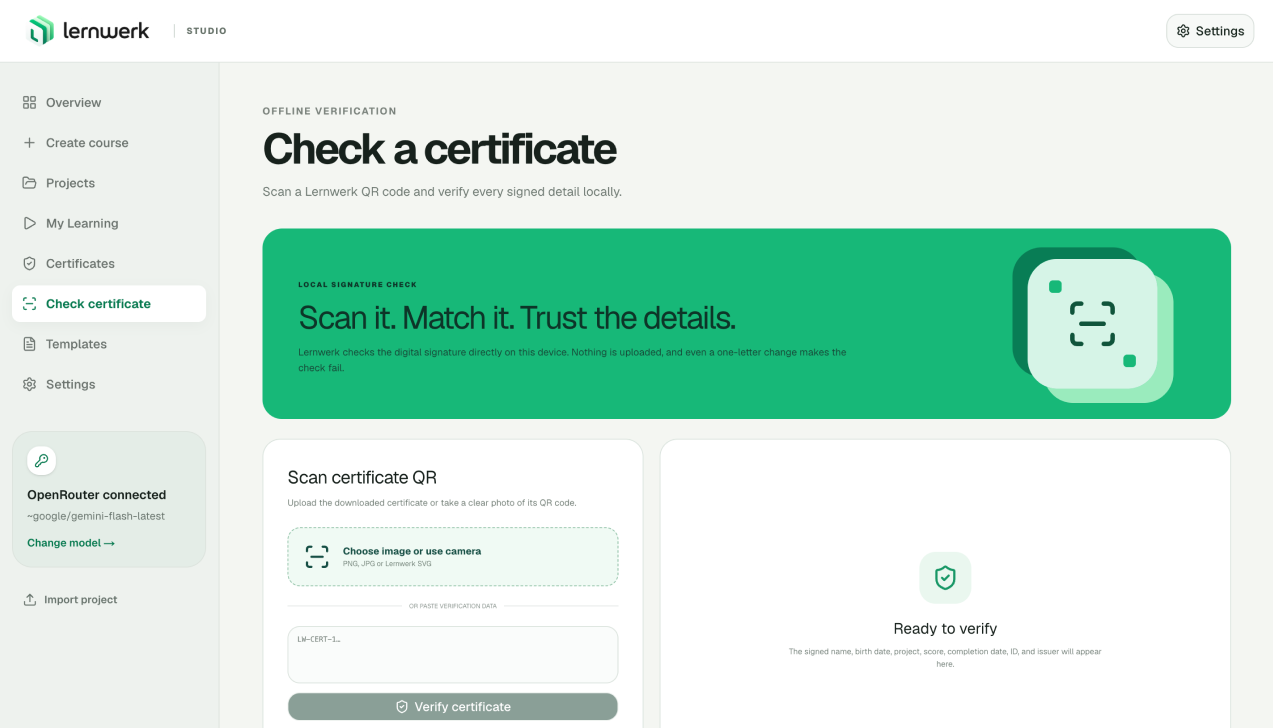
The certificate can be checked without a server
Anyone can verify the signed certificate data by uploading the QR image, using a camera or pasting its text. Lernwerk checks the digital signature locally and detects changes to the encoded name, result, course or completion details.